Quality Profiles
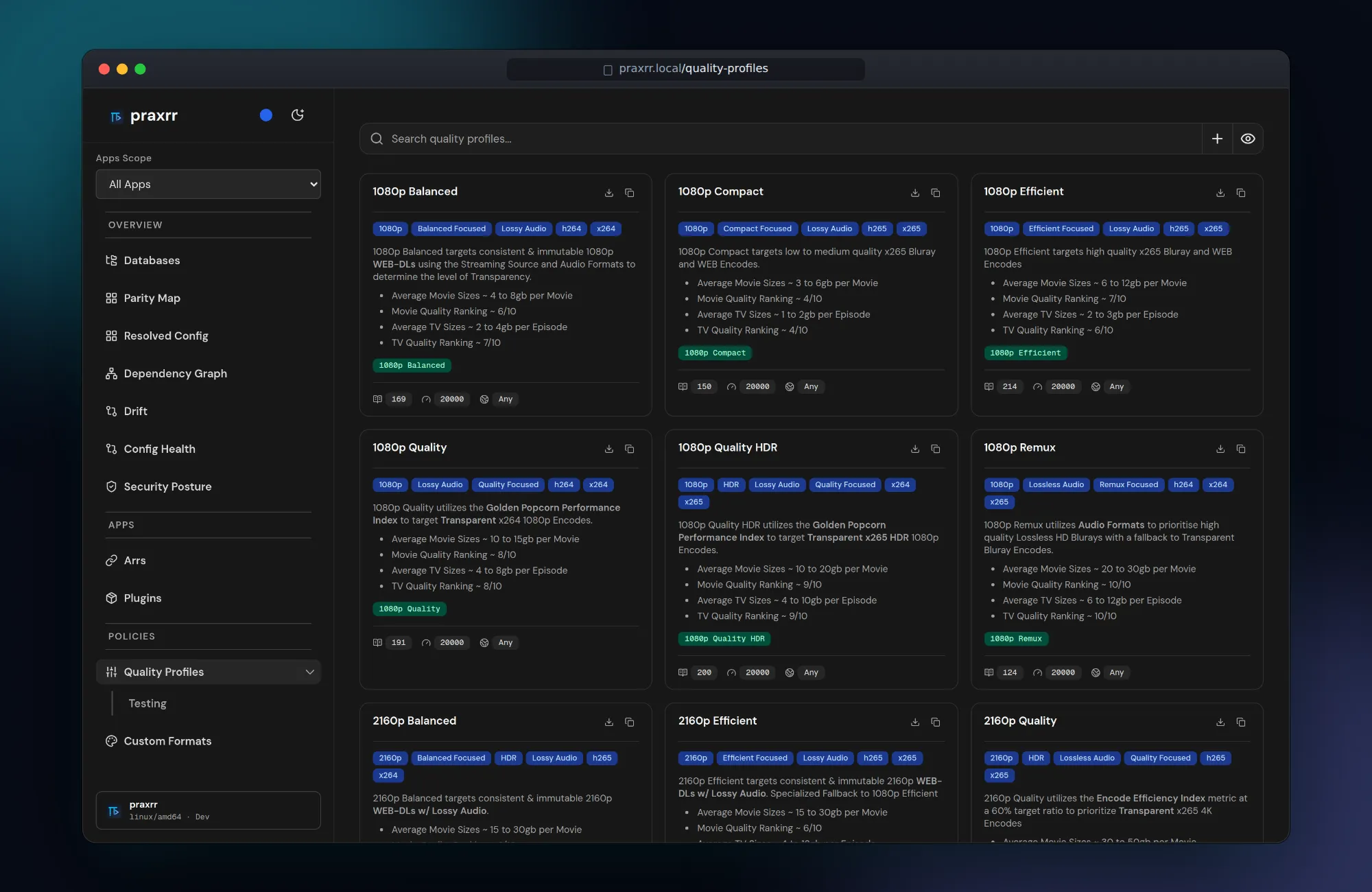
Quality profiles define which releases Arr prefers. Praxrr stores them in the PCD and compiles Arr-specific payloads during sync.
Where to edit
Section titled “Where to edit”- Open Quality Profiles in the sidebar.
- Select the linked PCD.
- Open an existing profile or choose New quality profile.
Each profile includes General, Qualities, and Scoring tabs.
General settings
Section titled “General settings”Configure profile metadata:
- Name — unique within the PCD (case-insensitive).
- Arr type — Radarr, Sonarr, or Lidarr semantics apply separately.
- Upgrade allowed and cutoff behavior per app rules.
- Language and other app-specific fields where supported.
Changes write user ops to the PCD cache and persist across repository pulls.
Qualities tab
Section titled “Qualities tab”Define the quality ladder:
- Enable or disable qualities for the profile.
- Set upgrade until and cutoff qualities.
- Group qualities when the schema supports grouping (Sonarr season packs, etc.).
Profiles with all qualities disabled may still appear in sync selection when
app-compatible quality names match via quality_api_mappings.
Scoring tab
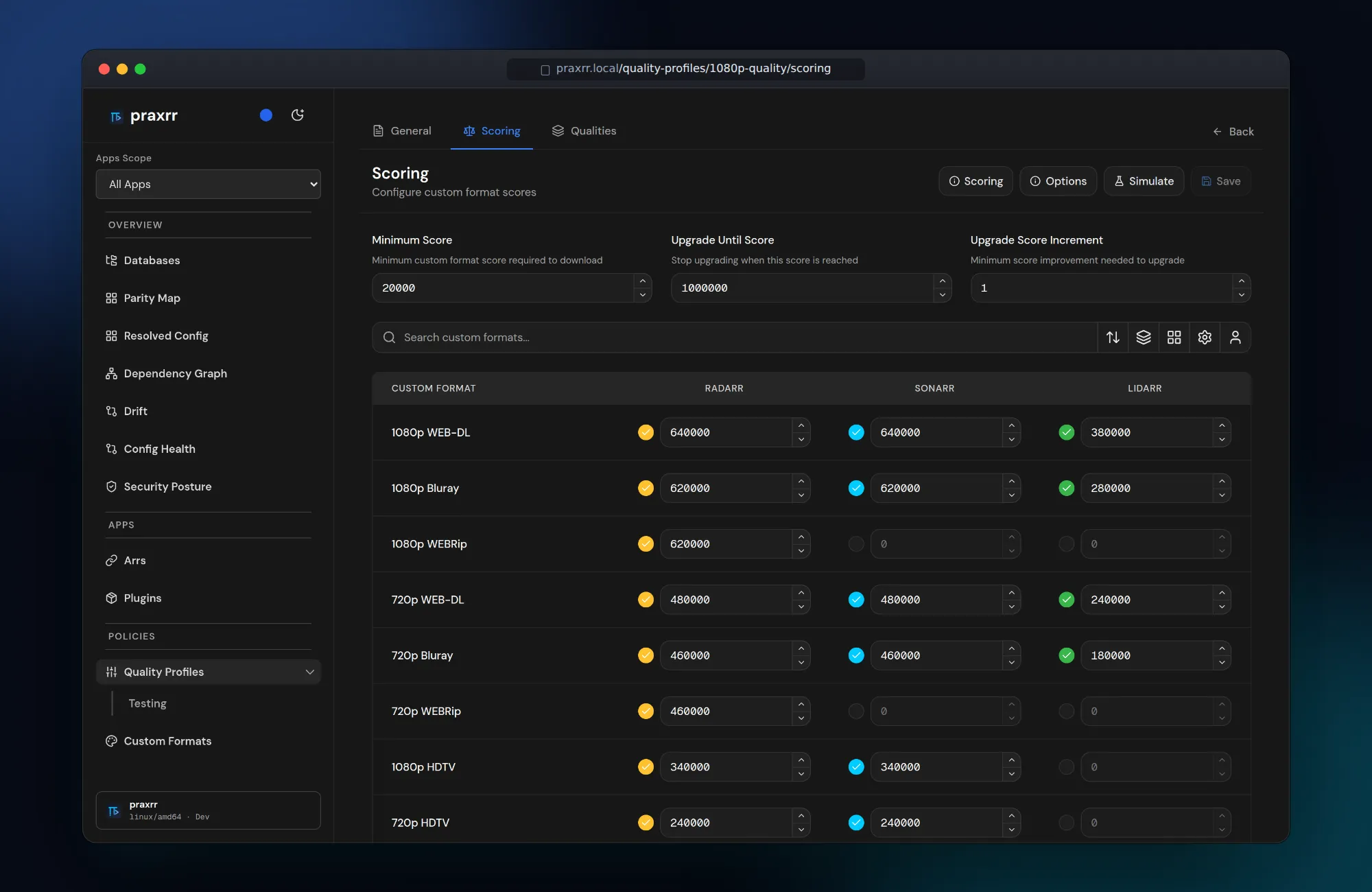
Section titled “Scoring tab”Assign custom format scores:
- Positive scores boost preferred releases.
- Negative scores penalize unwanted patterns.
- Minimum score and cutoff format interact with Arr grab logic.
Use the Simulate tooling (when available) to rank sample releases against the profile without syncing.
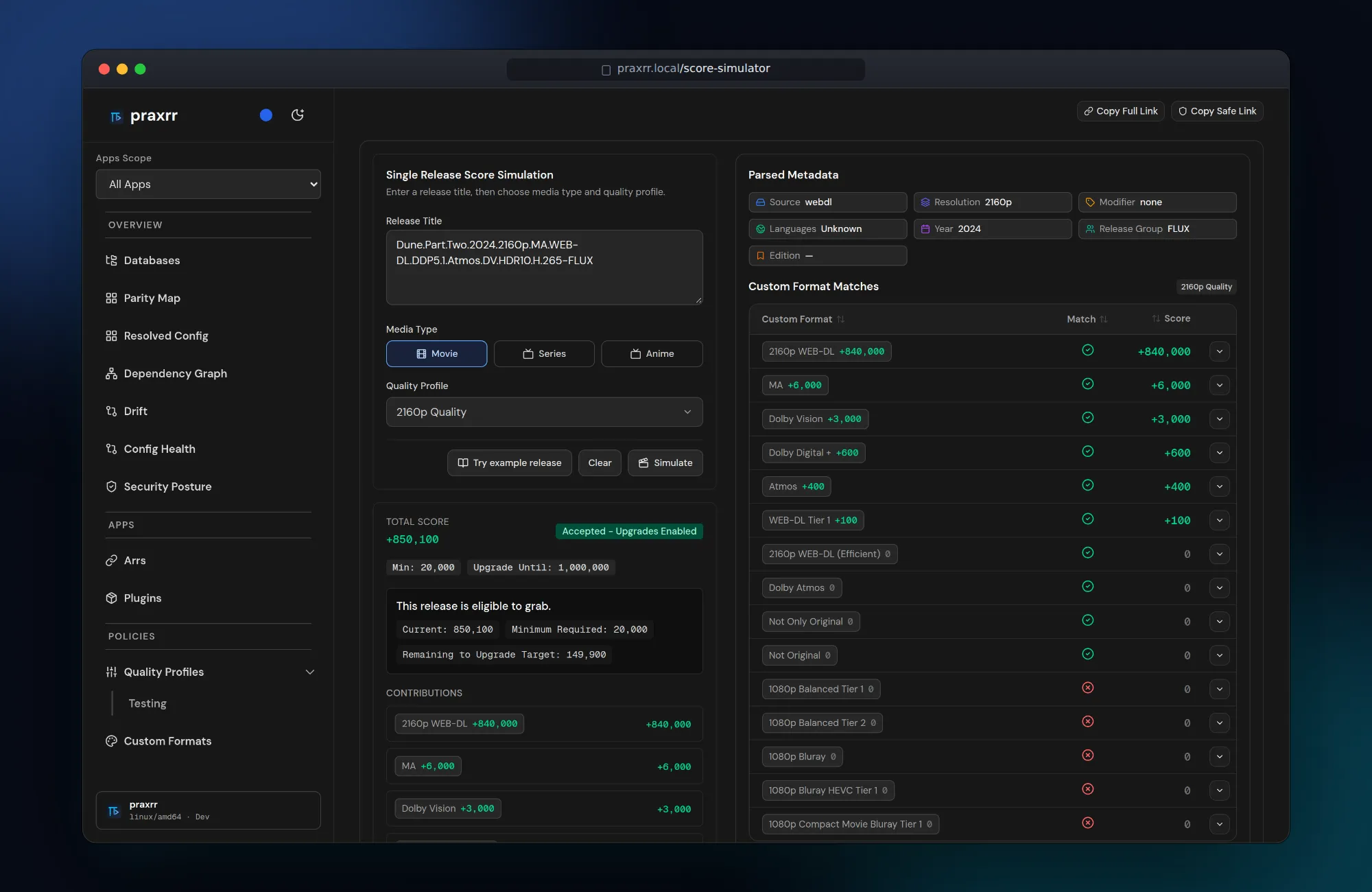
Entity testing under Quality Profiles → Entity testing imports release titles and compares scores in bulk when the parser service is available.
Sync to Arr
Section titled “Sync to Arr”- Open Arr → {instance} → Sync.
- Enable the profiles you want under Quality Profiles.
- Run Preview — dependent custom formats appear in the diff.
- Sync now or rely on configured triggers.
Praxrr maps PCD quality names to Arr API identifiers through
quality_api_mappings for the target arr_type.
App compatibility
Section titled “App compatibility”Filter profiles by the instance’s Arr app. Do not assume identical quality names across Radarr, Sonarr, and Lidarr. A profile scoped to Sonarr is not silently reused for Radarr without explicit compatibility.
Local tweaks vs upstream
Section titled “Local tweaks vs upstream”User ops preserve scoring or quality-order edits when the PCD repository updates. Review Changes after pulling upstream to merge upstream improvements with local adjustments.
Next steps
Section titled “Next steps”- Custom Formats — define formats referenced in scoring
- Syncing Profiles — preview and conflict handling
- Upgrading — schema migration notes