Custom Formats
Custom formats (CFs) define release matching rules used by quality profiles. In Praxrr they live in the linked PCD as portable entities compiled to Arr-specific payloads on sync.
Where to edit
Section titled “Where to edit”- Open Custom Formats in the sidebar.
- Select the linked PCD database.
- Browse the list or create a New custom format.
Each format has tabs for General, Conditions, and Testing.
General settings
Section titled “General settings”The general form captures:
- Name — must be unique within the PCD (case-insensitive).
- Include in rename — whether matched tokens affect rename logic where supported.
- Arr type scope — which apps the format applies to.
Save triggers a user op appended to pcd_ops. Unsaved navigation warns via the
dirty store.
Conditions
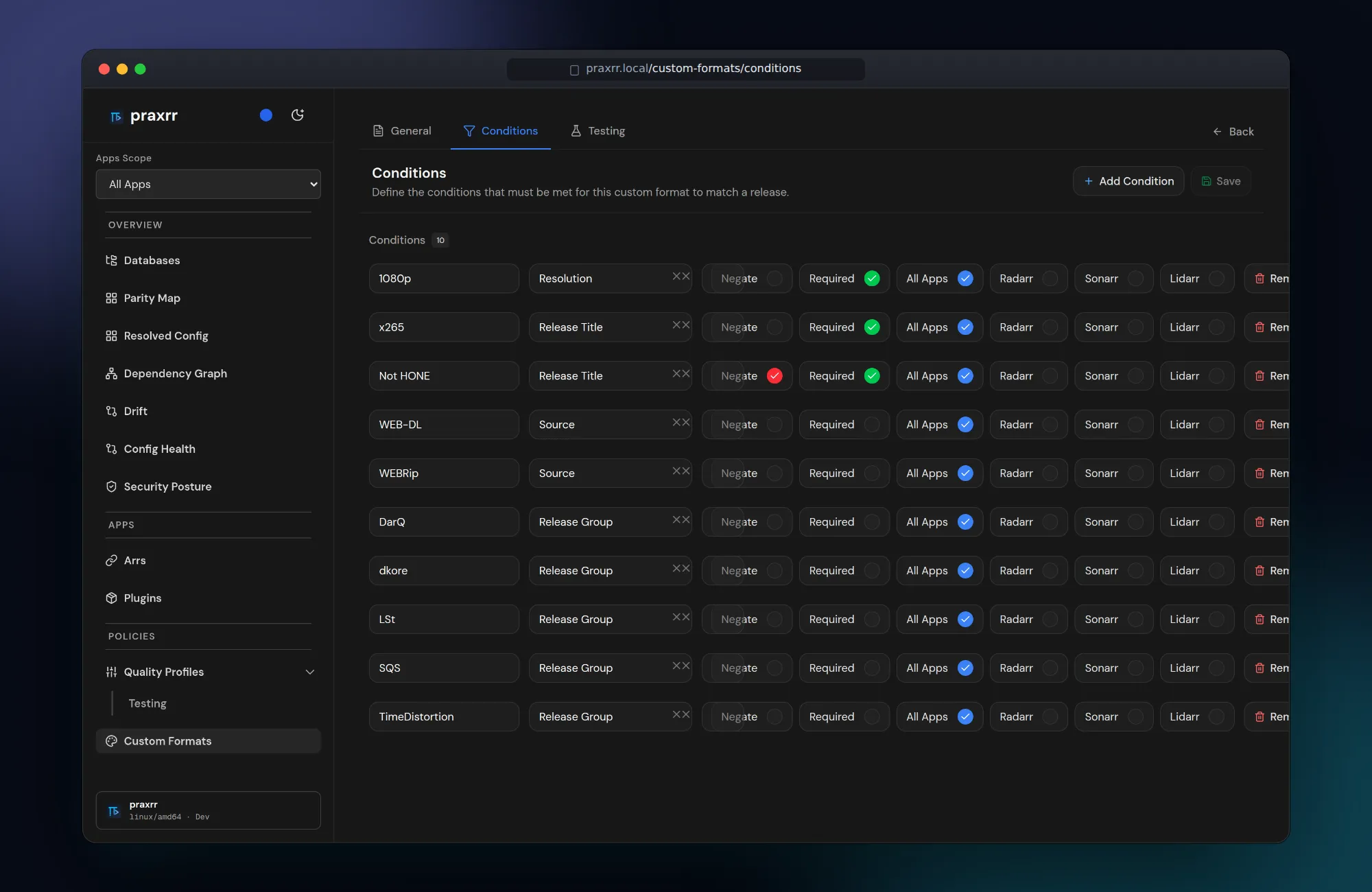
Section titled “Conditions”Conditions reference:
- Literal or pattern matchers
- Regular expression entities shared across multiple formats
- Arr-specific condition types validated per
arr_type
Edit conditions on the Conditions tab. Reordering and negation follow the portable PCD schema for the target app.
Shared regular expressions
Section titled “Shared regular expressions”Regular expressions are first-class entities. Define a regex once under Regular Expressions, then reference it from multiple custom formats. Updating the shared entity updates every format that references it on the next sync.
This avoids copy-paste drift when tuning release group or source patterns.
Testing (optional)
Section titled “Testing (optional)”When the parser service is running (PARSER_HOST / PARSER_PORT), the
Testing tab lets you:
- Add sample release titles.
- Run the parser microservice against format conditions.
- Inspect match results before syncing to Arr.
Linking and syncing work without the parser; testing is a validation convenience.
Sync behavior
Section titled “Sync behavior”Custom formats sync to Arr as part of quality profile sync selections. Enabling a quality profile that references a format causes both to appear in preview.
Preview shows per-format create, update, and delete actions alongside profile changes.
Upstream updates
Section titled “Upstream updates”When the PCD repository publishes CF changes:
- Pull the database.
- Review Changes for modified conditions or scores.
- Resolve conflicts with local user ops if you customized the same format.
- Re-preview instance sync before applying.
Next steps
Section titled “Next steps”- Quality Profiles — assign CF scores to profiles
- Syncing Profiles — preview and triggers
- PCD Schema Overview — portable entity model