Feature Tour
A quick visual tour of what Praxrr does, captured from a demo instance linked to the default Praxrr-DB and synced to Radarr, Sonarr, and Lidarr.
Curate
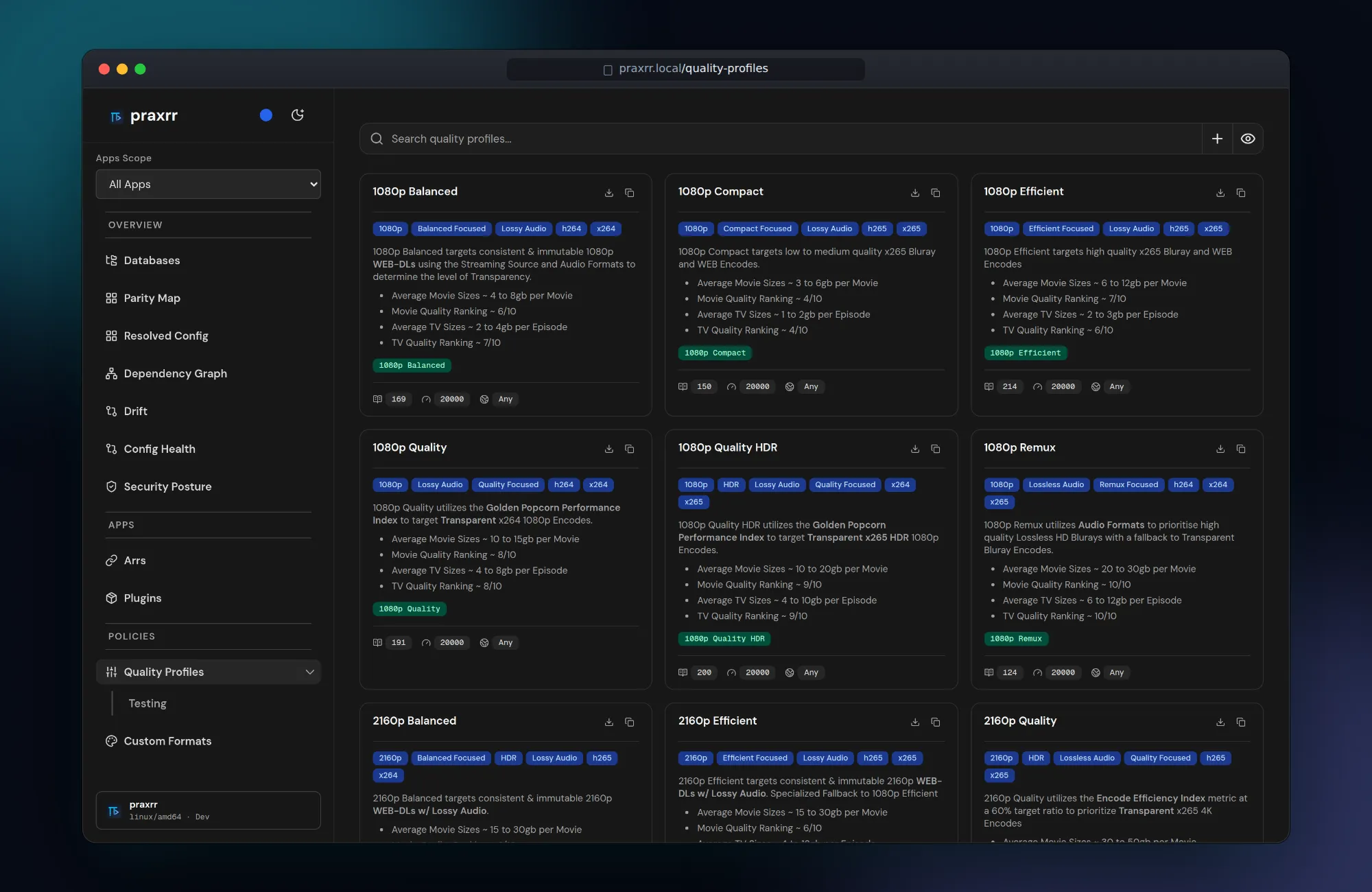
Section titled “Curate”Quality profiles
Section titled “Quality profiles”Every profile in a linked configuration database is browsable at a glance — target resolution, codec and audio focus, expected sizes, and how many custom formats it scores. Profiles are shared across apps and compiled to each Arr’s native format on sync.
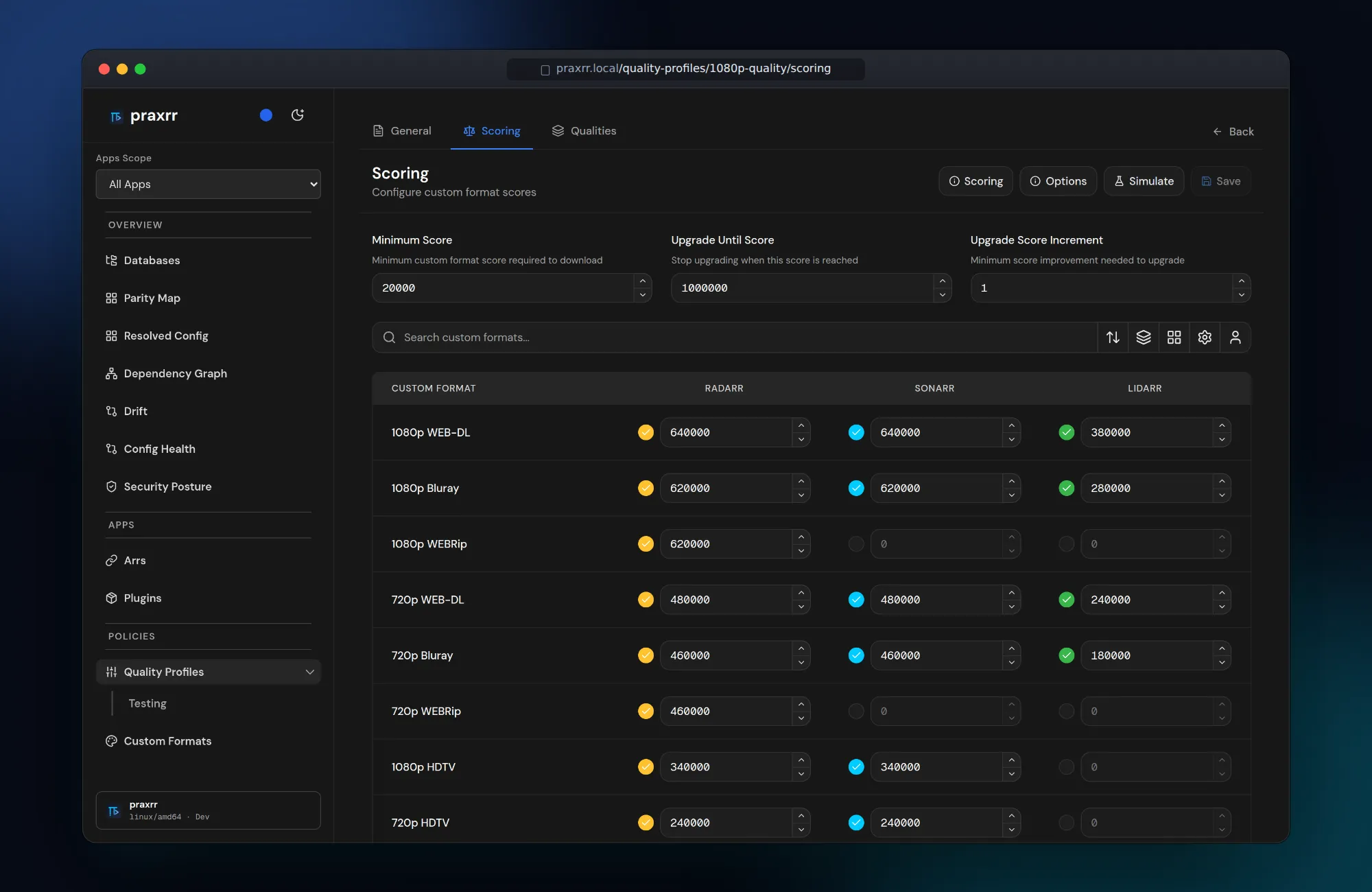
Per-app custom format scoring
Section titled “Per-app custom format scoring”One scoring table drives Radarr, Sonarr, and Lidarr. Scores can differ per app, and each row shows which apps a custom format applies to. See Quality Profiles.
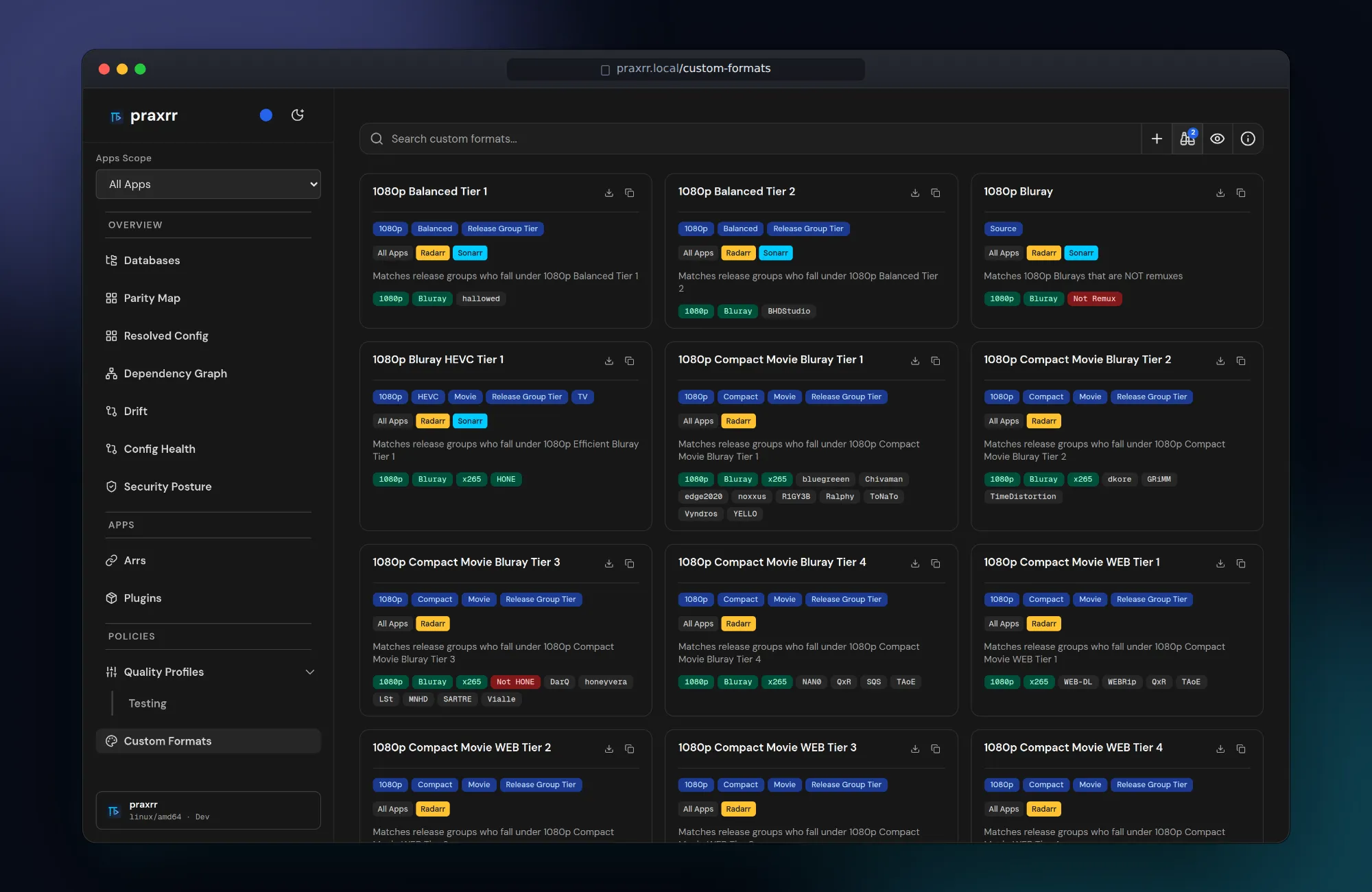
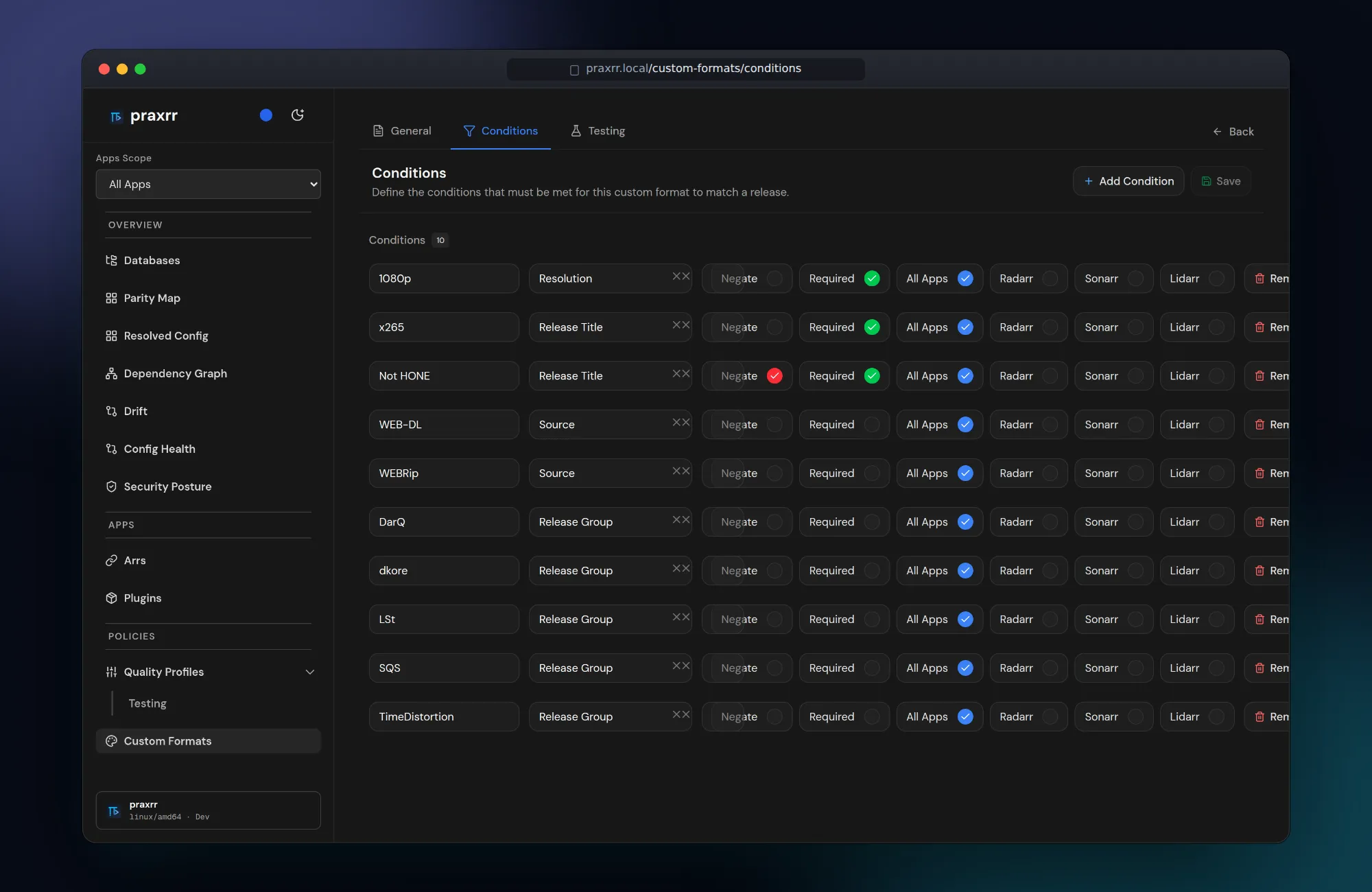
Custom formats and conditions
Section titled “Custom formats and conditions”Custom formats are tagged, app-scoped, and built from reusable conditions — resolution, source, release group, release title patterns, and more. See Custom Formats.
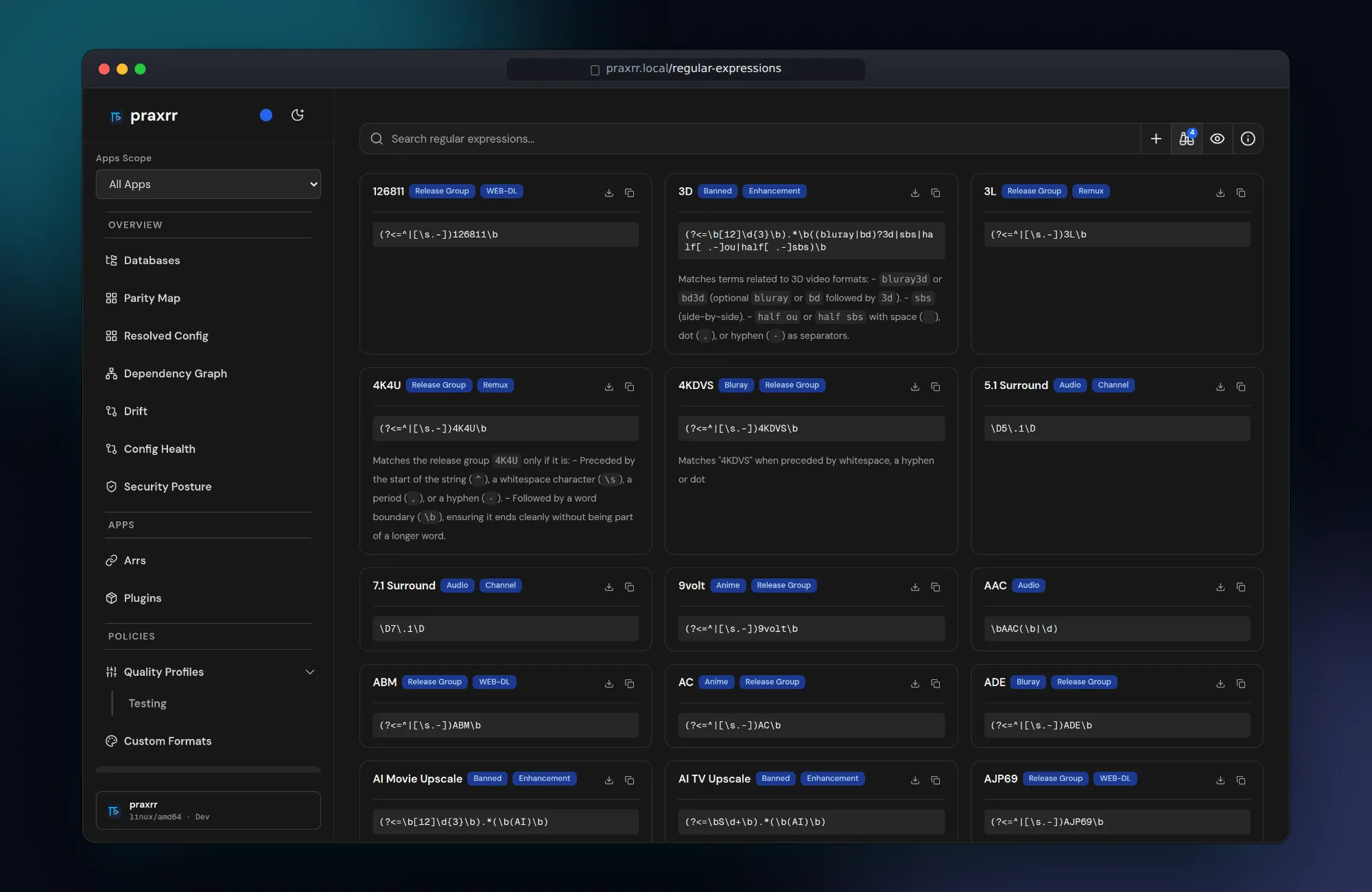
Shared regular expressions
Section titled “Shared regular expressions”Patterns are first-class entities shared across custom formats, so a fix lands everywhere at once. Patterns use .NET-compatible regex syntax, matching the Arr apps.
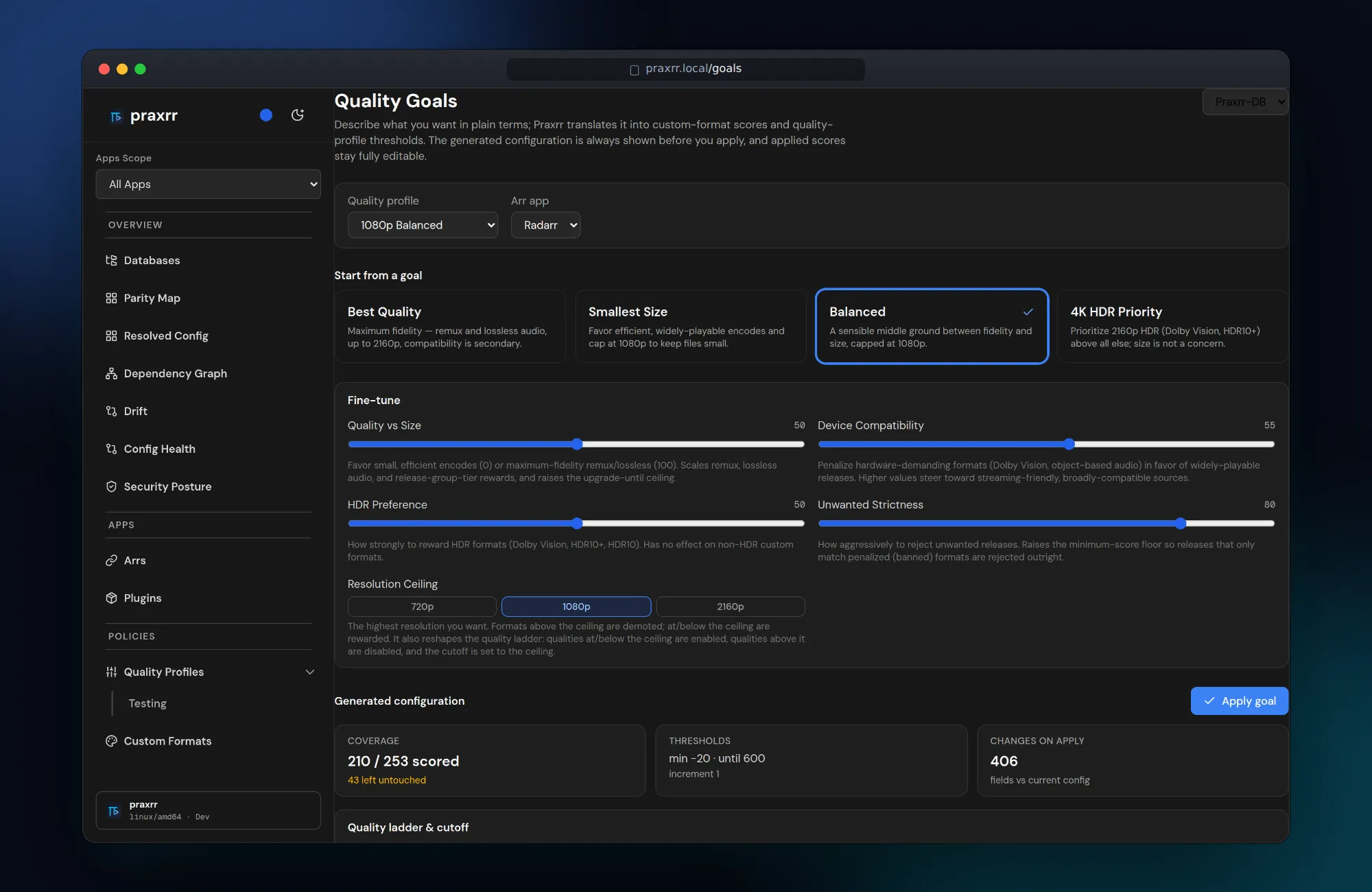
Quality goals
Section titled “Quality goals”Describe what you want in plain terms — best quality, smallest size, balanced, or 4K HDR — and fine-tune with sliders. Praxrr shows the generated scores and thresholds before anything is applied.
Local overrides
Section titled “Local overrides”Spot local PCD edits with the Locally modified badge and filter, then open a database’s Local overrides tab to compare values with upstream. Revert selected operations, discard an entity’s overrides, or undo the latest local action with dependency checks before changes apply. See the Local Overrides guide for the workflow, legacy undo behavior, and snapshot limitations.
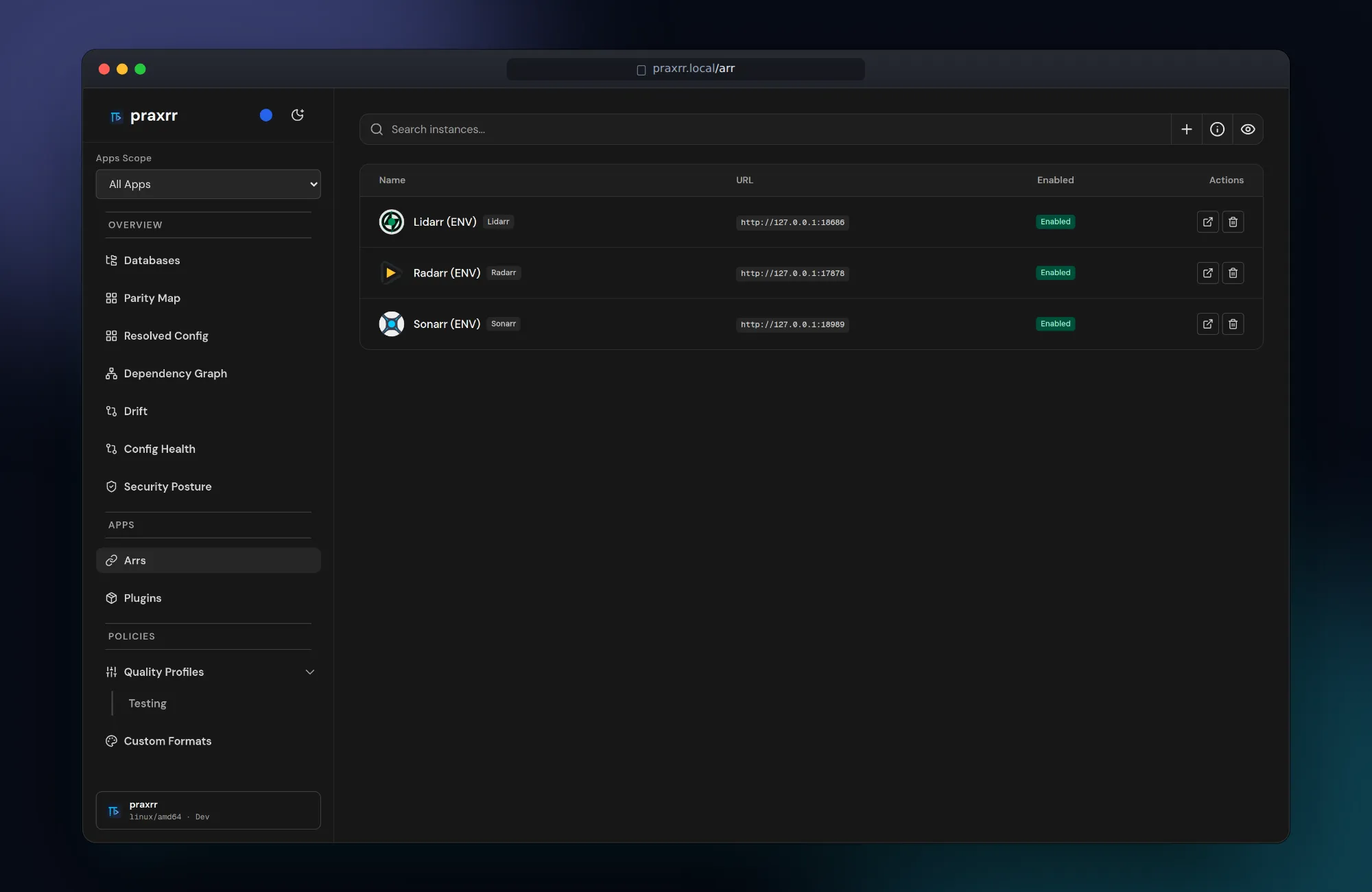
Connect your Arr instances
Section titled “Connect your Arr instances”Add instances by URL and API key in the UI, or declare them with environment variables. See Connecting Arr Instances.
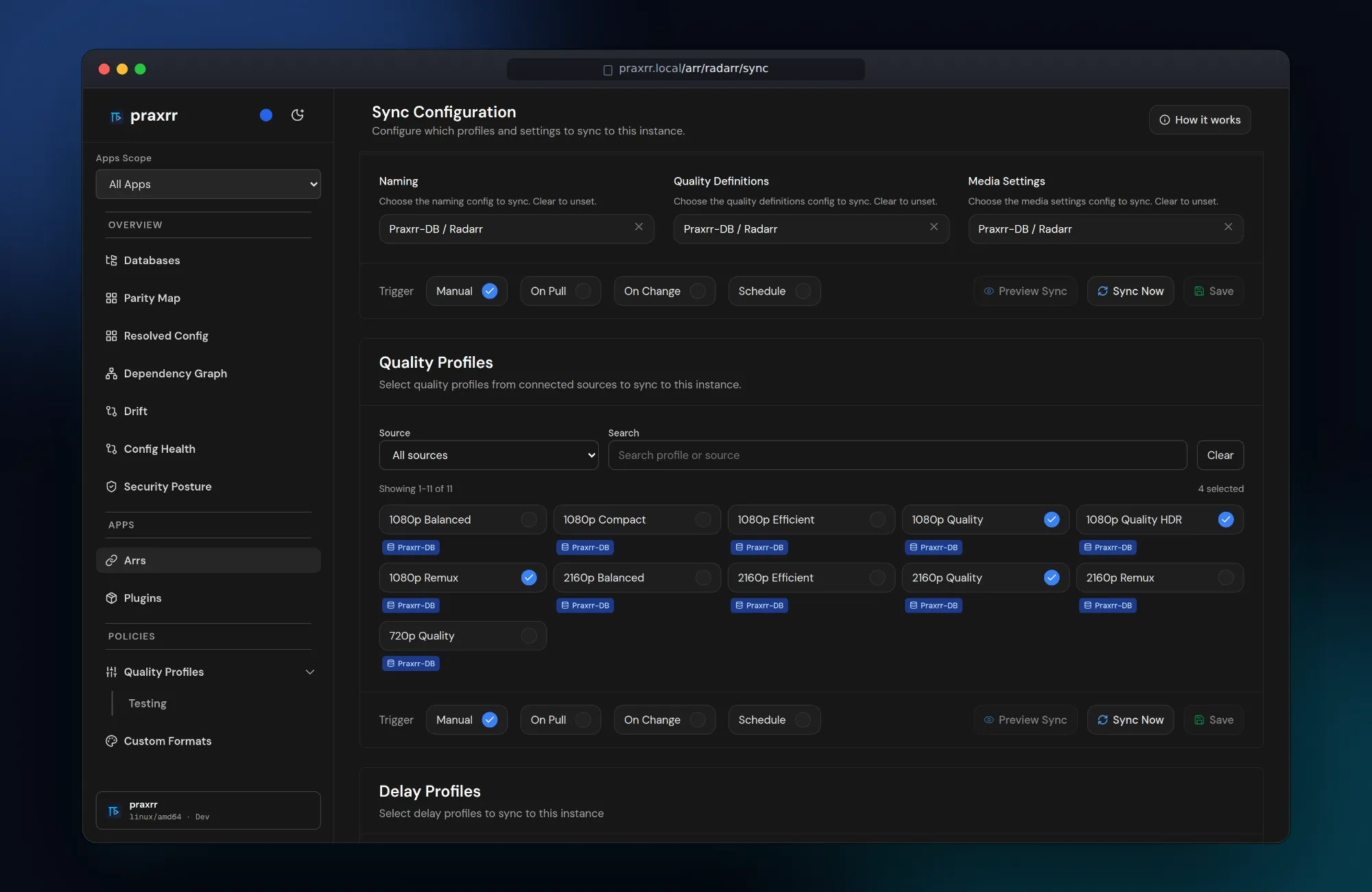
Choose what to sync
Section titled “Choose what to sync”Pick media management configs, quality profiles, and delay profiles per instance, then sync manually, on pull, on change, or on a schedule. See Syncing Profiles.
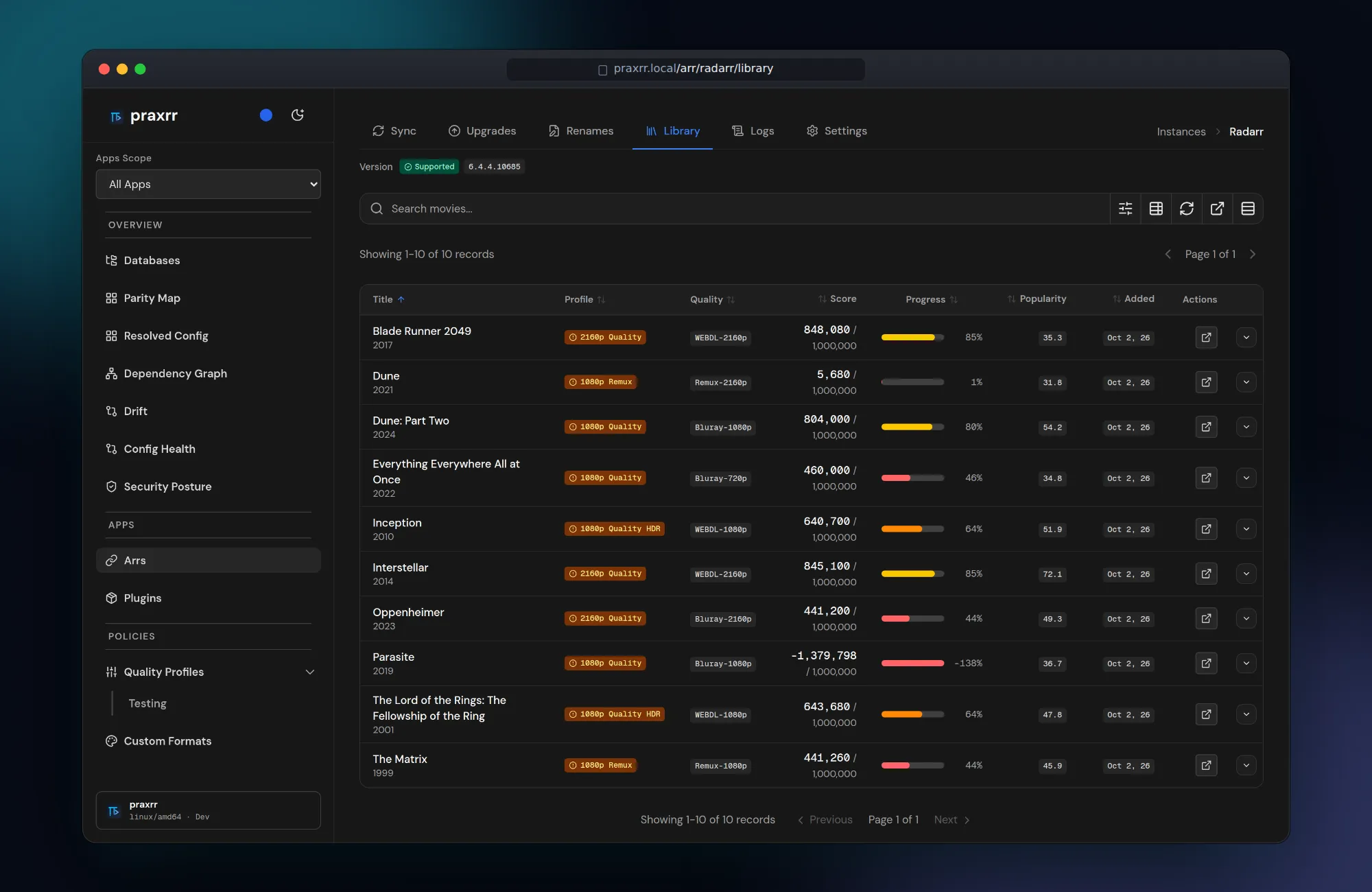
See your library through your profiles
Section titled “See your library through your profiles”The library view scores every file against its assigned profile, so you can see at a glance which releases meet the target, which can still upgrade, and which a profile rejects outright.
Verify
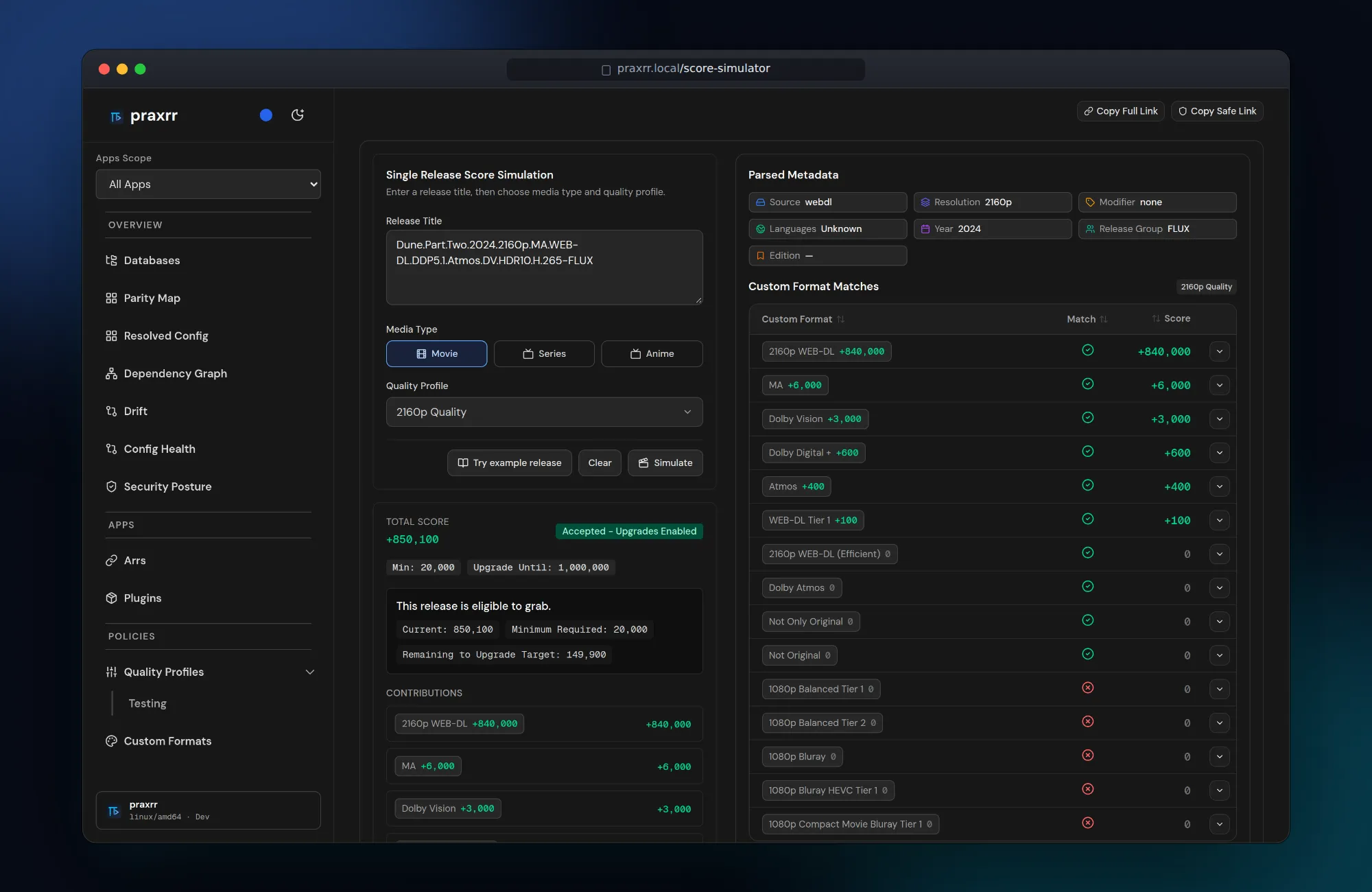
Section titled “Verify”Score simulator
Section titled “Score simulator”Paste a release title, pick a profile, and see the parsed metadata, every custom format match, and the final score — before a single grab happens. Requires the optional parser service.
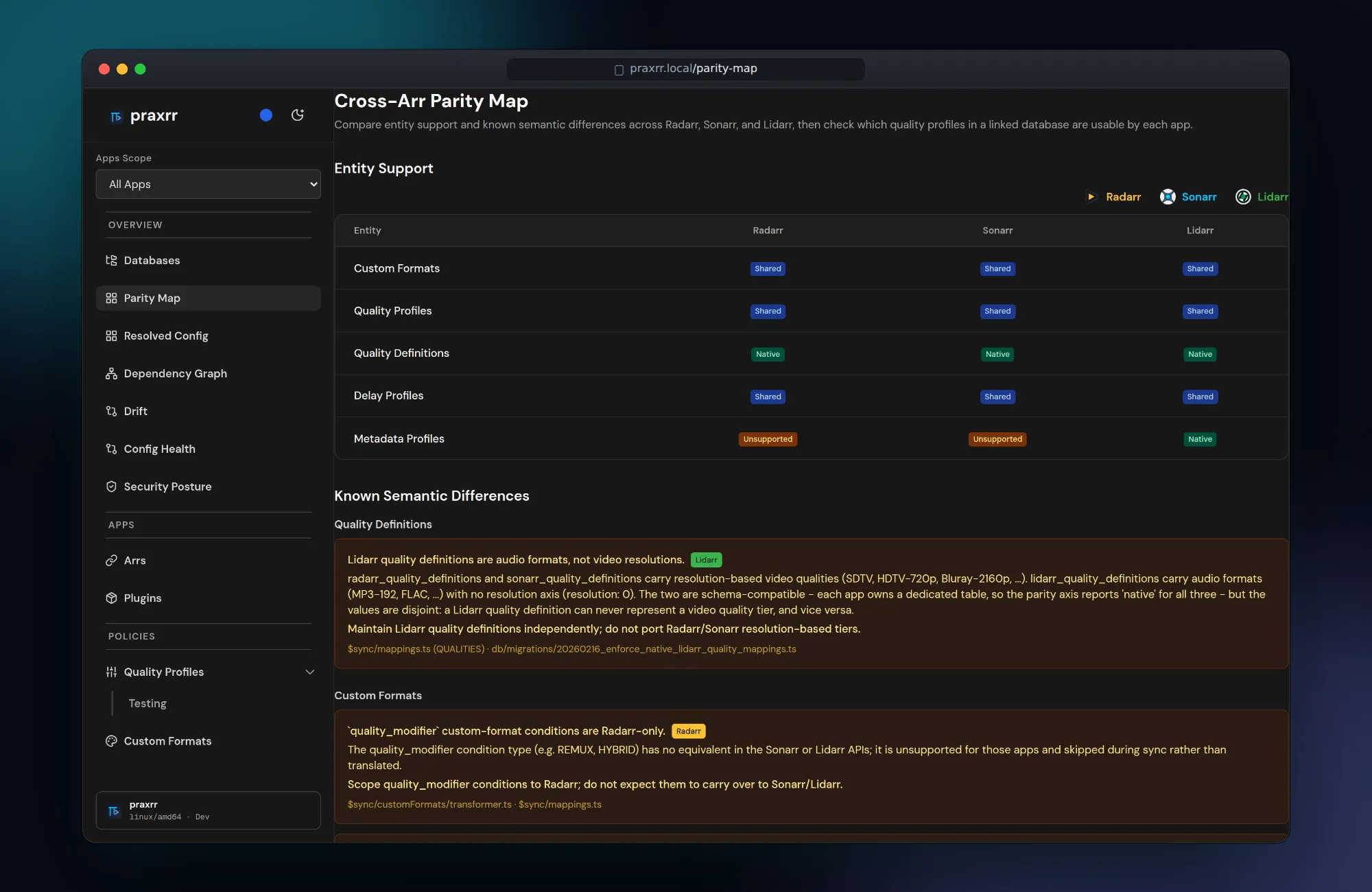
Cross-Arr parity map
Section titled “Cross-Arr parity map”Radarr, Sonarr, and Lidarr look alike but do not behave alike. The parity map shows which entities each app supports and documents the known semantic differences Praxrr enforces during sync.
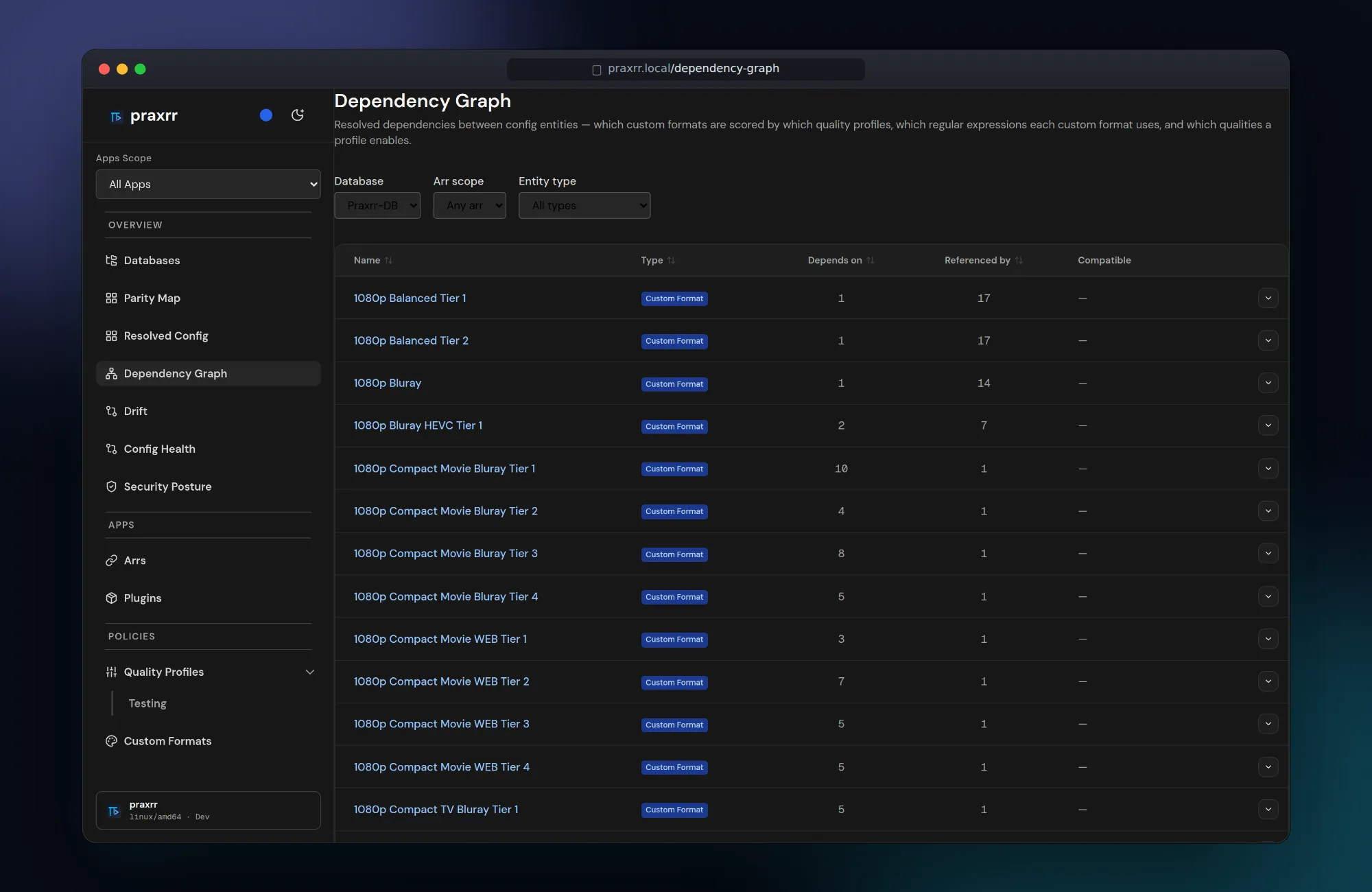
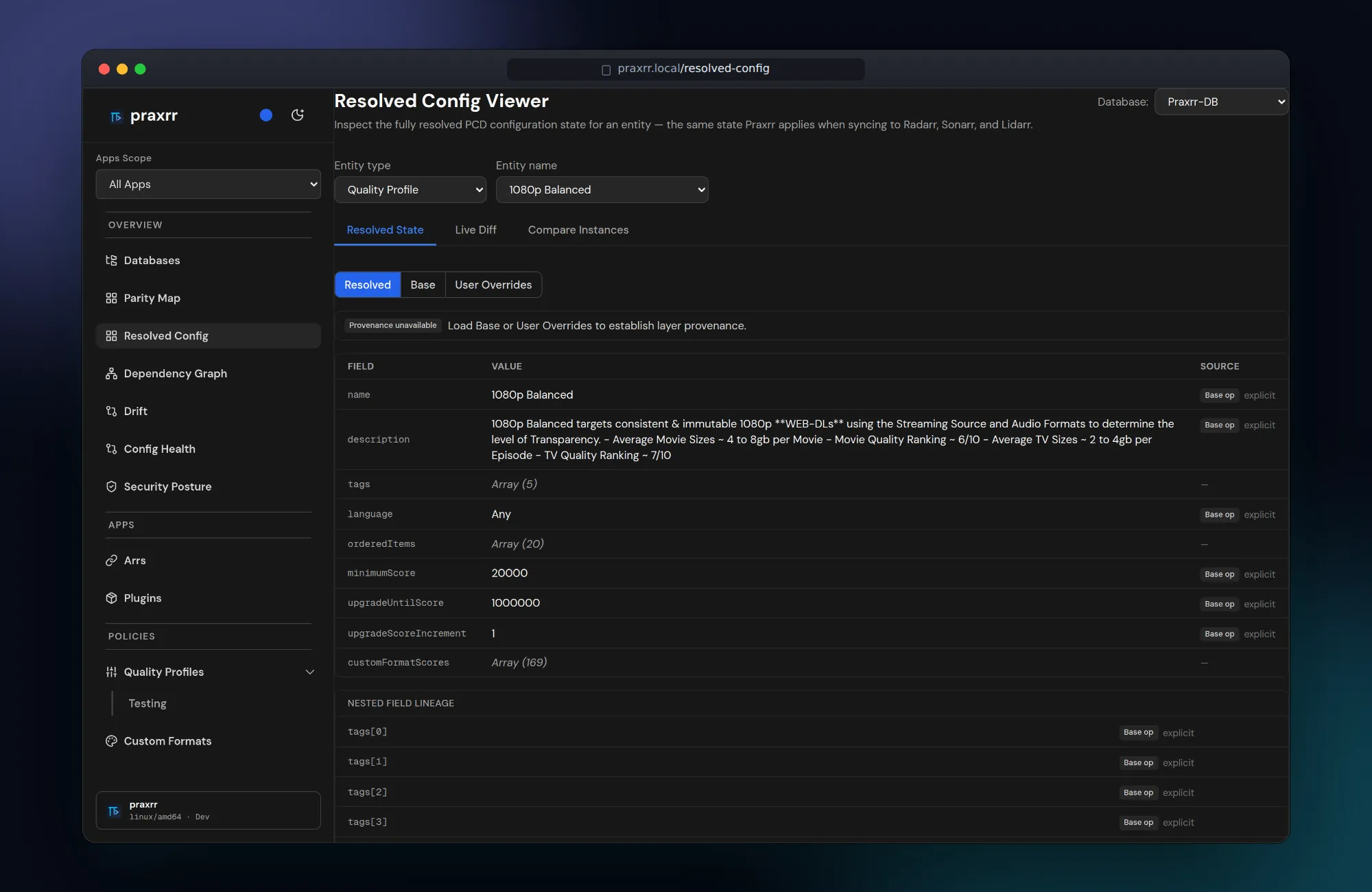
Dependency graph and resolved config
Section titled “Dependency graph and resolved config”Trace which custom formats each profile scores and which patterns each format uses, then inspect the fully resolved state Praxrr will apply — with the layer each value came from.
Observe
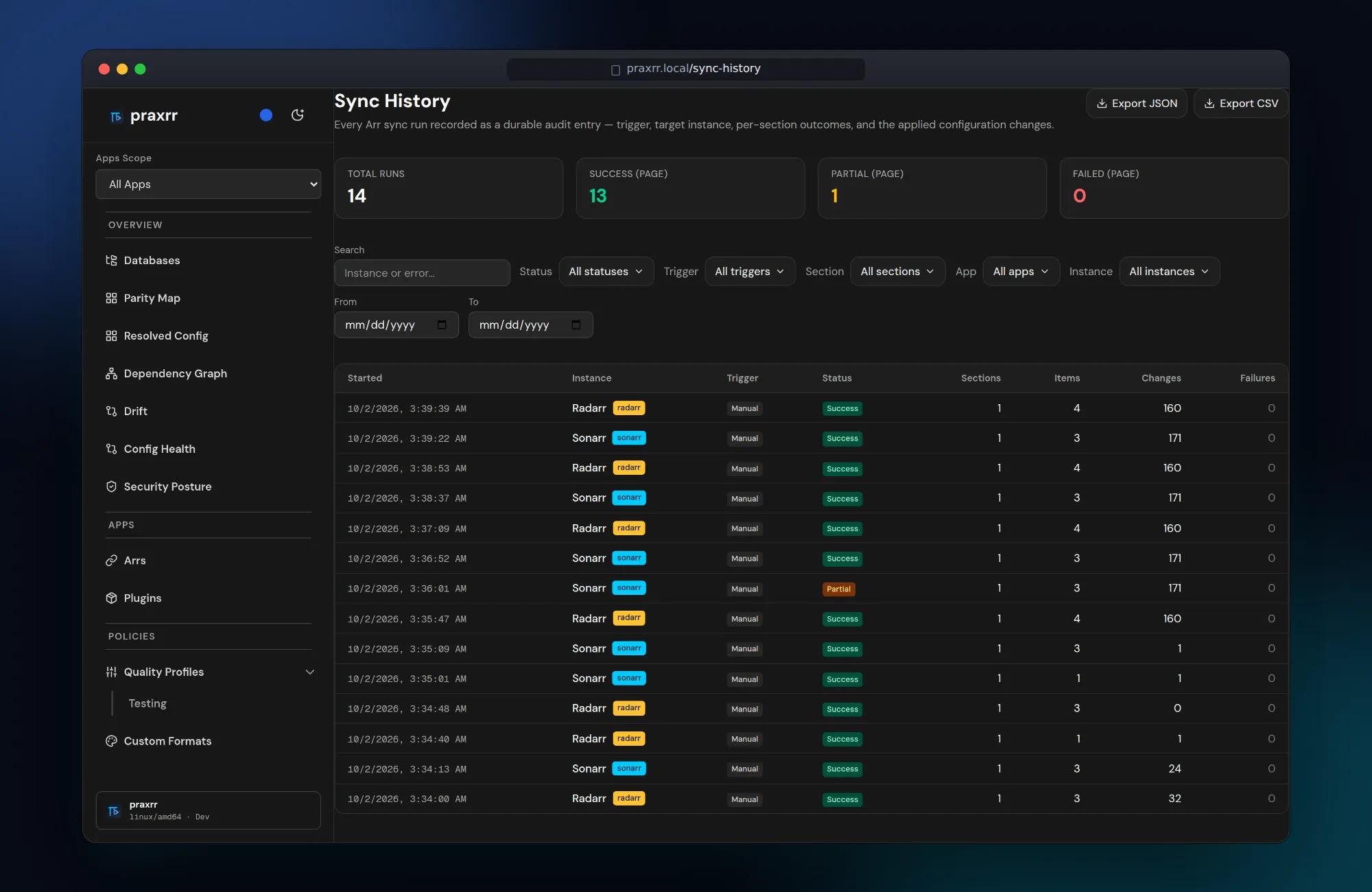
Section titled “Observe”Sync history
Section titled “Sync history”Every sync run is a durable audit entry — trigger, instance, per-section outcome, and the number of changes applied. Export as JSON or CSV.
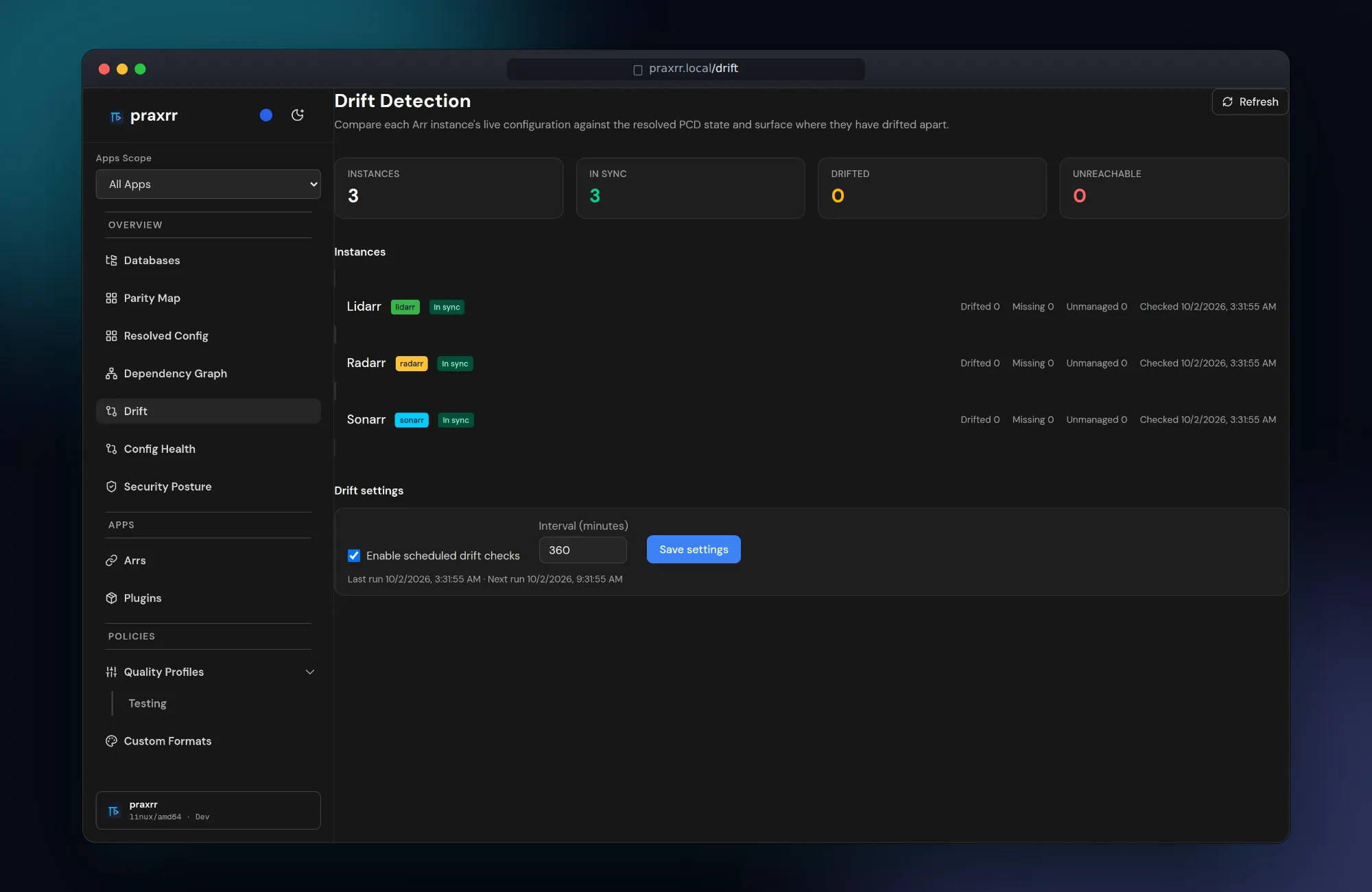
Drift detection
Section titled “Drift detection”Scheduled checks compare each instance’s live configuration with the resolved PCD state and flag drifted, missing, or unmanaged entities.
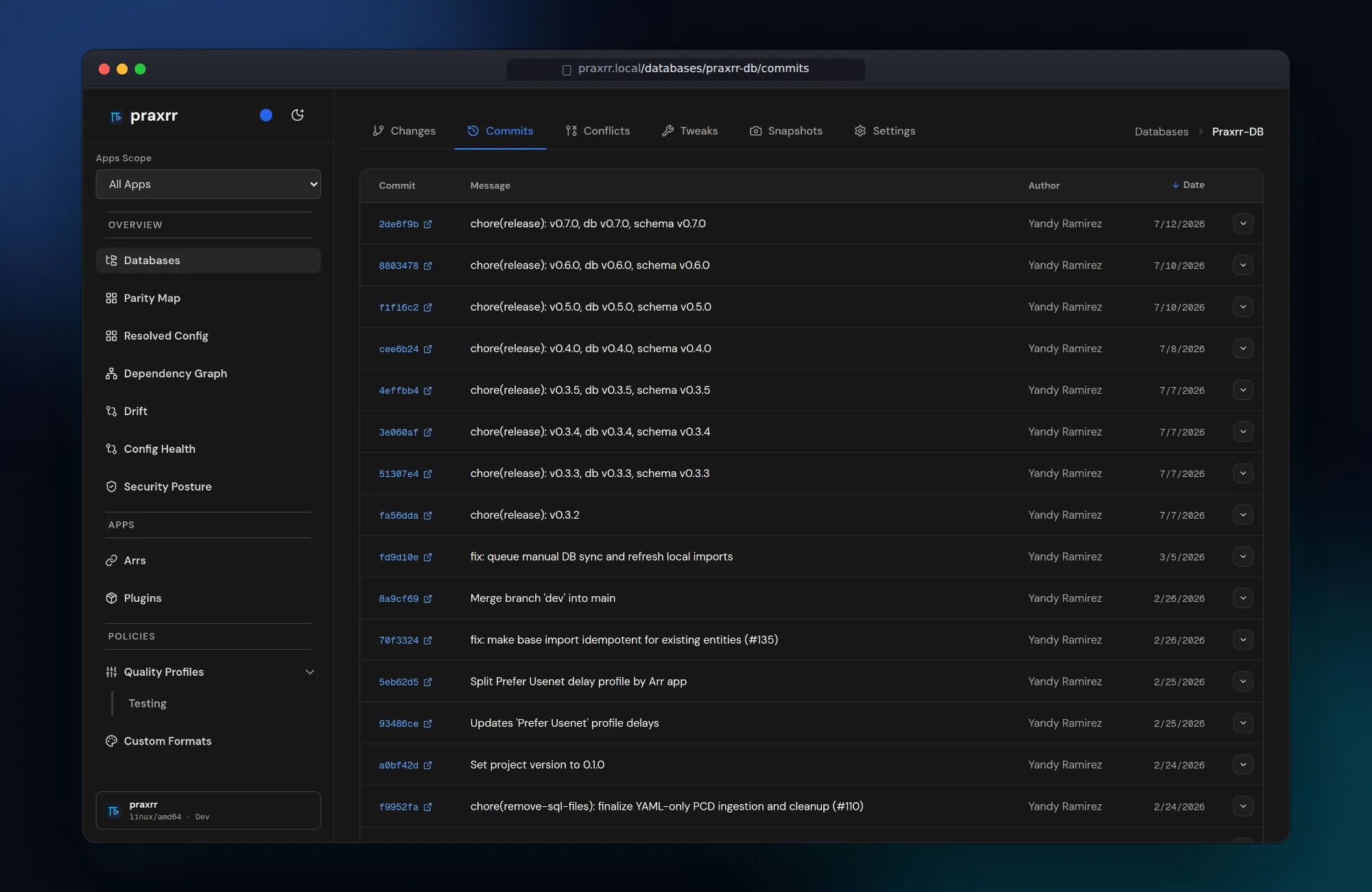
Database history
Section titled “Database history”Configuration databases are Git repositories. Browse commits, incoming changes, conflicts, local tweaks, and snapshots for each linked database, and import entity bundles from the Import tab.
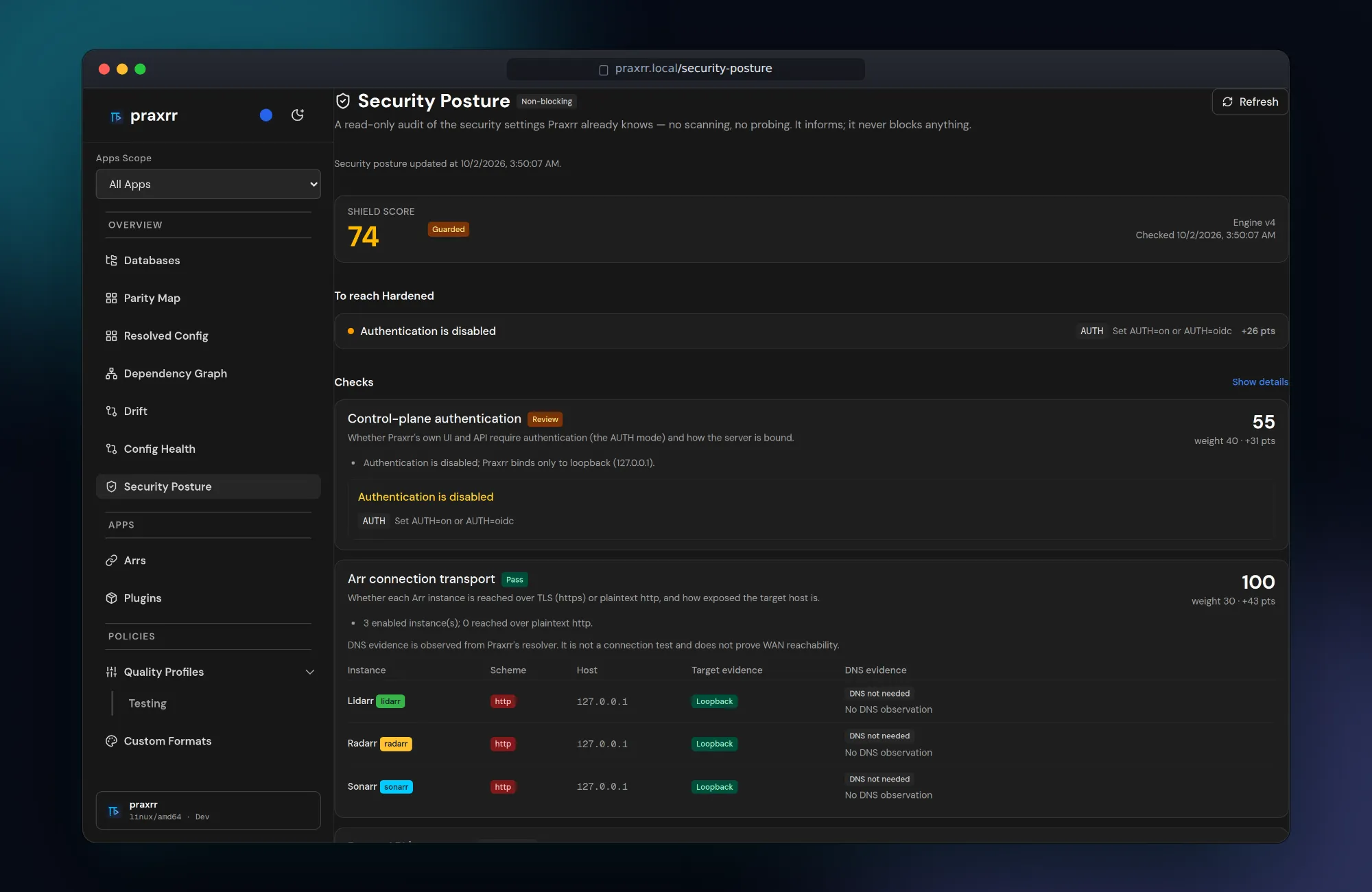
Security posture
Section titled “Security posture”A read-only audit of authentication mode and Arr connection transport, with concrete steps to reach a hardened setup.